Introduction to USB
Introduction to USB. - Madhav Singh-. Scope of Presentation. This presentation describe the basics of USB device and Host side i.e. descriptors, endpoints, device controller, root hub etc. It covers USB architecture in Linux. It does not cover protocol level details of USB. Agenda.
Share Presentation
Embed Code
Link
Download Presentation
- small amounts
- host side
- device hub hub
- root hub root hub
- usb protocol
- southbridge usb

molly + Follow
Download Presentation
Introduction to USB
An Image/Link below is provided (as is) to download presentation Download Policy: Content on the Website is provided to you AS IS for your information and personal use and may not be sold / licensed / shared on other websites without getting consent from its author. Content is provided to you AS IS for your information and personal use only. Download presentation by click this link. While downloading, if for some reason you are not able to download a presentation, the publisher may have deleted the file from their server. During download, if you can't get a presentation, the file might be deleted by the publisher.
Presentation Transcript
- Introduction to USB - Madhav Singh-
- Scope of Presentation This presentation describe the basics of USB device and Host side i.e. descriptors, endpoints, device controller, root hub etc. It covers USB architecture in Linux. It does not cover protocol level details of USB.
- Agenda • USB Introduction • USB Host /Device Terminology • USB Host Controller • USB Topology and Root Hub • USB Device Basics • Endpoints • Descriptors • Linux USB Architecture Overview
- Introduction • USB stands for UNIVERSAL SERIAL BUS. • USB is host controlled. There can only be one host per bus. • Specification in itself, does not support any form of multimaster arrangement. • Topologically, a USB subsystem is not laid out as a bus; it is rather a tree built out of several point-to-point links.
- Introduction The links are four-wire cables (ground, power, and two signal wires) that connect a device and a hub. Up to 127 devices(7 bit device addressing scheme) can be connected to any one USB bus at any one given time. It was originally created to replace a wide range of slow and different buses—the parallel, serial, and keyboard connections—with a single bus type that all devices could connect to.
- Introduction • USB Implementers Forum(USB-IF): -USB Implementers Forum, Inc. is a non-profit corporation founded by the group of companies that developed the Universal Serial Bus specification. -The USB-IF was formed to provide a support organization and forum for the advancement and adoption of Universal Serial Bus technology. (http://www.usb.org/ official site) • The USB-IF, Inc. Board of Directors is composed of the following companies: • Hewlett-Packard Company • Intel Corporation • LSI Corporation • Microsoft Corporation • Renesas Electronics • ST-Ericsson
- USB Connector Types USB 1.x/2.0 STANDARD pinning
- USB Connector Types USB 1.x/2.0 Mini/Micro pinning
- USB Host /Device Terminology Host - The host system where the USB Host Controller is installed. Controller – This is the hardware entity that provides the USB interface. E.g. Host Controller, Device Controller etc. Device –Connected to Host controller, communicate using USB protocol eg. memory stick, digital camera, printer etc. Dual Role Devices (OTG) – Those devices which can function both as a host or as a peripheral.
- USB Host Controller USB Host Controller Types: • OHCI (Open Host Controller Interface) • Compaq's implementation adopted as a standard for USB 1.0 and 1.1 by the USB Implementers Forum (USBIF). • UHCI (Universal Host Controller Interface.) • Created by Intel, insisting that other implementers use it and pay royalties for it. • This competition required to test devices for both host controller standards. • For USB 2.0, the USBIF insisted on having only one standard.
- USB Host Controller • EHCI Extended Host Controller Interface. • For USB 2.0. The only one to support high speed transfers. • Significant Contributors include Intel, Compaq, NEC, Lucent and Microsoft.
- HOST Controller in IA CPU FSB North Bridge RAM Memory Controller Hub ( MCH ) HUBIF VDU Super IO COM, PS2 Keyboard IO Controller Hub( ICH ) LPC PCI SouthBridge USB Controller
- USB transfer speed • LowSpeed: • Up to 1.5 Mbps • Since USB 1.0 • Ex. Mouse, Keyboard etc. • FullSpeed: • Up to 12 Mbps • Since USB 1.1 • Ex. Pen drives, Printers etc. • HiSpeed: • Up to 480 Mbps • Since USB 2.0 • Ex. HDD, Network Adapters, Web Cam etc.
- USB Host controller Ports through which USB devices can be connected Root Hub Root HUB • - Other Operations: • Control Power to USB devices • Enable/Disable Ports • Recognize Device attached to Port Every Host Controller will have a Root Hub. Root hub enables connection of USB devices to the host A root-hub converts the requested Tx into low level protocols required by USB.
- Host Host Root Hub Root Hub Device Device HUB HUB Device Device Device Device Device Device HUB HUB Device Device Device Device USB HUB • Provides extensibility to USB network • Allows more than 1 device to be connected to the host • Can be self powered or Bus powered
- USB Bus Topology • Can have up to 7 tiers of devices. • Maximum number of devices that can be connected is 127 • Every use of a hub increases the tier of devices. • Every device in the tree has a “Device Address”
- USB Device Basics • Endpoint(EP) • Endpoints can be described as sources or sinks of data • A USB endpoint can carry data in only one direction, either from the host computer to the device (called an OUT endpoint) or from the device to the host computer (called an IN endpoint). • Physical entity. • Per Device max 16 EP are possible • All devices must support EP0, This is the endpoint which receives all of the devices control and status requests during enumeration and throughout the duration while the device is operational on the bus.
- USB Endpoints • USB support of 4 types of Endpoints • Control Endpoint • Interrupt Endpoint • Bulk Endpoint • Isochronous Endpoint
- Control Endpoints Used to configure the device, get information about it, send commands to it, retrieve status information. Simple, small data transfers. Every device has a control endpoint (endpoint 0),used to configure the device at insertion time. The USB protocol guarantees that the corresponding data transfers will always have enough (reserved) bandwidth.
- Interrupt Endpoints Transfer small amounts of data at a fixed rate each time the host asks the device for data. Transfers are guaranteed by the USB protocol to always have enough reserved bandwidth For devices requiring guaranteed response time, such as USB mouse and keyboards. Generally not used to transfer large amounts of data.
- Bulk Endpoint Bulk endpoints transfer large amounts of data. No guarantee on bandwidth or latency. Guarantee that no data is lost. Typically used for printers, storage or network devices.
- Isochronous Endpoint Also for large amounts of data. Guaranteed speed(often but not necessarily as fast as possible). No guarantee that all data makes it through. Used by real time data transfers (typically audio and video).
- END Points Data Flow
- USB Descriptors • All USB devices have a hierarchy of descriptors, which gives information to the host, such as what the device is, who is vendor, what version of USB it supports, how many ways it can be configured, the number of endpoints and their types etc. • Common USB Descriptors: • Device Descriptor • Configuration Descriptor • Interface Descriptor • Endpoint Descriptor • USB Descriptors Format: • All descriptors are made up of a common format. • The first byte specifies the length of the descriptor
- USB Descriptors • USB Descriptors Format: • If the length of a descriptor is smaller than what the specification defines, then the host shall ignore it • if the size is greater than expected the host will ignore the extra bytes and start looking for the next descriptor at the end of actual length returned.
- Device Descriptor • The device descriptor of a USB device represents the entire device. • As a result a USB device can only have one device descriptor. • Device descriptor includes information • USB revision the device complies to • Product and Vendor IDs used to load the appropriate drivers • number of possible configurations the device can have • Class of device i.e. storage, network, HID etc.
- Device Descriptor • Some important fields of device descriptor: • bcdUSB field reports the highest version of USB the device supports. • bDeviceClass, used by the operating system to find a class driver for your device, ex HID , Storage, Network etc… • idVendor and idProduct are used by the operating system to find a driver for your device. The Vendor ID is assigned by the USB-IF • bNumConfigurationsdefines the number of configurations the device supports at its current speed.
- Configuration Descriptor The configuration descriptor specifies how the device is powered. Therefore it is possible to have two configurations, one for when the device is bus powered and another when it is mains powered. USB device can switch to different configuration for changing state of device. Each configuration descriptor consists of no(s) of Interface Descriptor.
- Configuration Descriptor • Some important fields of configuartion descriptor: • bNumInterfacesspecifies the number of interfaces present for this configuration. • bConfigurationValue is used by the SetConfiguration request to select this configuration. • bmAttributes specify power parameters for the configuration, whether a device is self powered or bus powered. • bMaxPowerdefines the maximum power the device will drain from the bus.
- Interface Descriptor • The interface descriptor could be seen as a header or grouping of the endpoints into a functional group performing a single feature of the device. • Each interface encapsulates a single high level function, USB logical connection. • One driver is needed for each interface. • Important Fields: • bInterfaceNumberindicates the index of the interface descriptor. This should be zero based, and incremented once for each new interface descriptor. • bNumEndpoints indicates the number of endpoints used by the interface. • bInterfaceClasscan be used to specify supported classes (e.g. HID, communications, mass storage etc.)
- Endpoint Descriptor • Endpoint descriptors are used to describe endpoints other than endpoint zero. • Endpoint zero is always assumed to be a control endpoint and is configured before any descriptors are even requested. • The host will use the information returned from these descriptors to determine the bandwidth requirements of the bus. • Important Fields: • bmAttributesspecifies the transfer type. • bEndpointAddress indicates its address, its direction IN or OUT • wMaxPacketSizeindicates the maximum payload size for this endpoint.
- USB Descriptors Hierarchy
- USB device overview endpointcontrol endpointinput endpointcontrol endpointinput Interface Audio Interface Audio endpointcontrol endpointinput endpointcontrol endpointinput Interface Video Configuration Standby Configuration Active Configurati Configurati Interface Video Device USB WEB CAM
- USB Driver Overview
- Linux USB overview • The Linux kernel supports two main types of USB drivers: • Drivers on a Device Controller Side. • Drivers on Host Controller Side Drivers On Host Controller Side: • The USB drivers for a host system control the USB devices that are plugged into it, from the host’s point of view. • A common USB host is a desktop computer.
- Linux USB Overview Drivers On Host Controller Side: • USB core drivers • Architecture independent kernel subsystem.Implements the USB bus specification. • USB core provides an interface for USB drivers to use to access and control the USB hardware, without having to worry about the different types of USB hardware controllers that are present on the system. • USB host drivers • Different drivers for each USB control hardware. • Usually available in the Board Support Package. • Architecture and platform dependent.
- Linux USB Overview Drivers On Host Controller Side • USB device drivers • Drivers for devices on the USB bus. • Platform independent: you can use any USB device supported by Linux(cameras, keyboards, Wi-Fi dongles. ). • USB drivers live between the different kernel subsystems (block, net, char, etc.) and the USB hardware controllers.
- Linux USB overview(Host Controller Side) User Application User applications LIBUSB Users System call interface Kernel Kernel subsystems USB device drivers Kernel subsystems Other kernel subsystems USB core USB host controller driver Hardware USB host controller USB device
- Linux USB overview Drivers On Device Controller Side: • USB drivers in a device, control how that single device looks to the host computer as a USB device. • As the term “USB device drivers” is very confusing, the USB developers have created the term “USB gadget drivers” to describe the drivers that control a USB device that connects to a computer • Typical example: Digital cameras, MobileYou connect the device to a PC and see the cameraas a USB storage device. • USB device controller driver: • Platform dependent. Supports the chip connecting to the USB bus.
- Linux USB overview Drivers On Device Controller Side: • USB gadget drivers • Platform independent • Ethernet gadget: implements networking through USB • Storage gadget: makes the host see a USB storage device • Serial gadget: for terminal-type of communication
- References http://kernel.org/ http://www.beyondlogic.org http://en.wikipedia.org/ Linux Device Driver Book by Alessandro Rubini
USB
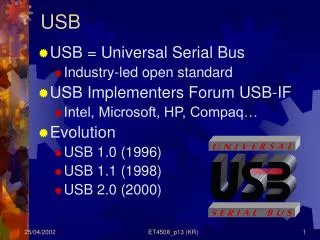
USB. USB = Universal Serial Bus Industry-led open standard USB Implementers Forum USB-IF Intel, Microsoft, HP, Compaq… Evolution USB 1.0 (1996) USB 1.1 (1998) USB 2.0 (2000). Why USB?. Shortcomings of existing PC IO: Scarcity of PC HW resources (IRQ and DMA channels, IO space)
961 views • 48 slides
Introduction to USB Development
Introduction to USB Development. USB Development . Introduction Technical Overview USB in Embedded Systems Recent Developments Extensions to USB USB as compared to other technologies. INTRODUCTION. USB: Universal Serial Bus
892 views • 26 slides
USB: An introduction
USB: An introduction. Soondo Hong March 23, 2005. Universal Serial Bus. A representative peripheral interface
279 views • 15 slides
usb to ethernet converter
Whether for LAN or the Internet usage, most people rely on USB to Ethernet converter cables for a fast and reliable connection. These dedicated adapters are responsible for the transmission of data across two or more computers in a given system. For computers that are bundled into one local network, these cables serve as their lifelines.
242 views • 13 slides
USB DAQ Product Introduction
USB DAQ Product Introduction. Peishan Juan Indus. I/O Div. PSM eAutomation Group peishan.juan@advantech.com.tw. Portable, Easy to Install, Easy to Use, -- Key benefits of USB DAC Modules. Plug & Play Functionality: Easy to Install Single Cable Connection with PC: Easy to Use
372 views • 19 slides
CAN to USB Convertor
CAN to USB Convertor. CAN 转 USB 2012, Aug. 功能定位. PC. 最简单的 CAN 总线调试工具 通过 USB 连接 PC 配套 PC 端上位机使用. CUT. CAN Network. 对外接口和参数指标. PC 端 方口 USB CAN 网络端 ( 接线柱) 1-GND 2-SHLD 3-CANL 4-CANH 5-TERM. 工作环境 温度: -40~85C 电源: USB 5V 极限功耗: 5V, 200mA 隔离等级: 2500V. 内部构造. ADuM5201 电源隔离
285 views • 4 slides
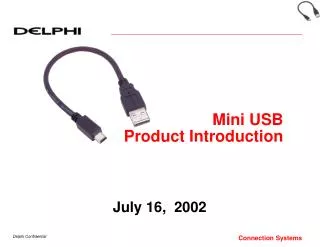
Mini USB Product Introduction
Mini USB Product Introduction. July 16, 2002. Product Overview. Mini-USB is exactly what is sounds like… simply a new smaller form of the standard USB connector Typical Use Compact Interconnect among Computers and High-Speed peripherals
195 views • 3 slides
How To Get USB Charger, USB Wall Charger & Multiple USB Char
How To Get USB Charger, USB Wall Charger & Multiple USB Charger Kindly Visit http://www.amazon.com/CHOETECH-Desktop-Charger-Adapter-Technology/dp/B00MBDGVPM/
340 views • 8 slides
USB 2.0 INTRODUCTION
USB 2.0 INTRODUCTION. NTUT CSIE 學 生:許家豪 指導教授:柯開維教授. Outline. History and Evolution Why We Need USB ? Architectural Overview USB communication flow Protocol Layer Conclusion. Key Word. Down : From host to device Up : From device to host Example
644 views • 57 slides
